Your band,
in your pocket.
Music Planner for iPhone, iPad and Android. Your setlists, your charts and LIVE, on the device you actually take to the gig. Same account, same band, everything in sync with the web.
Built for the gig,
not the desk.
Plan the big stuff on the web. The app is for everything that happens after you leave the house.
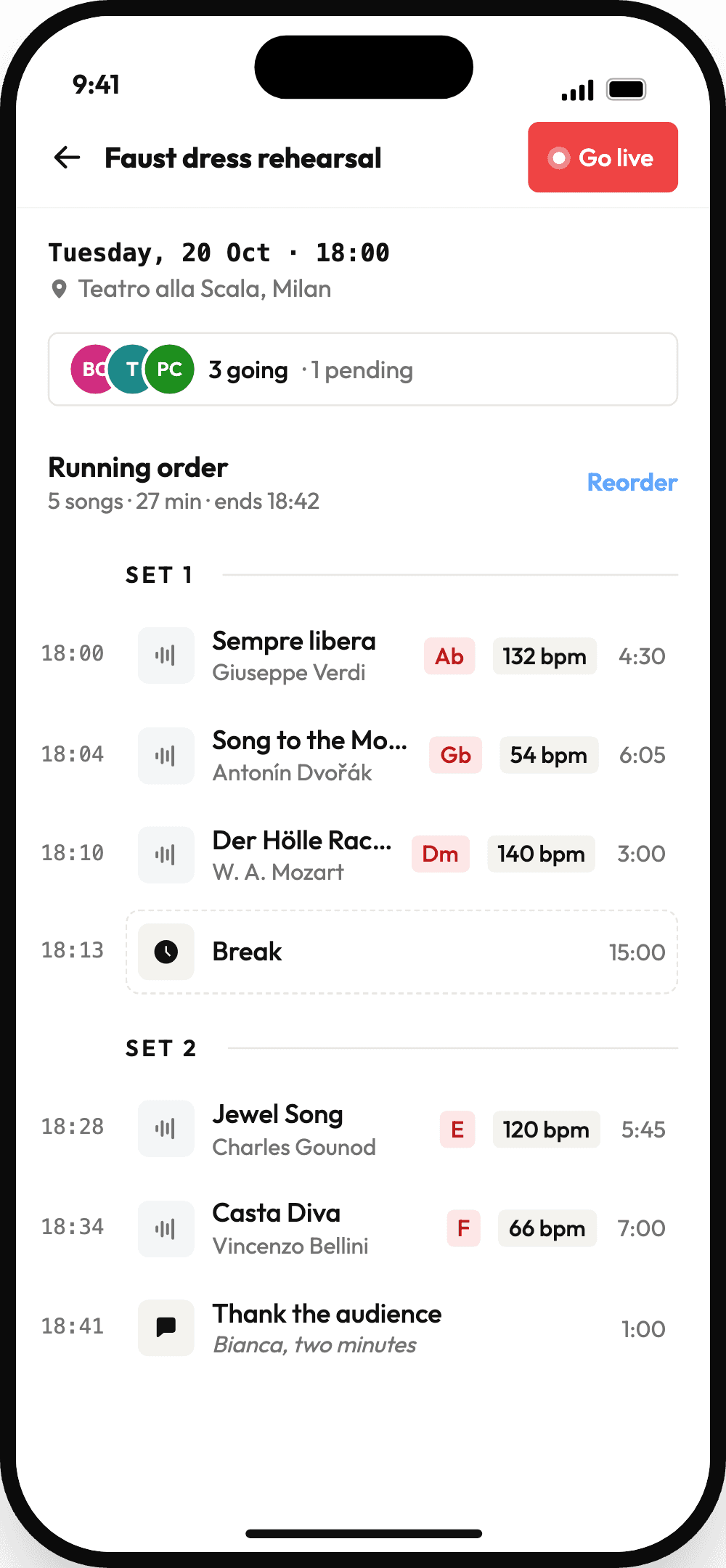
Setlists
The running order with start times, keys and BPM. Create a setlist, add songs, reorder them and see who's going.
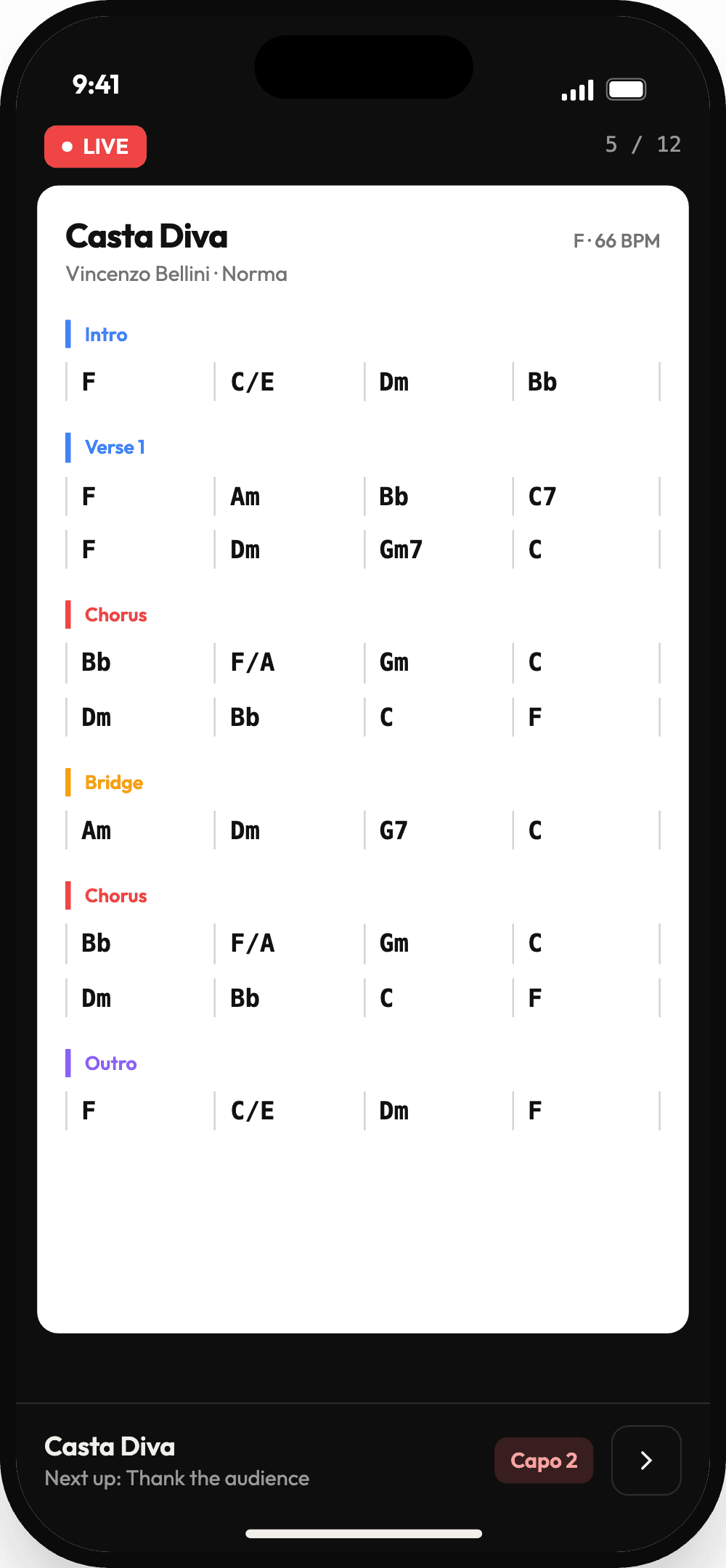
LIVE
Charts full screen, a swipe or a tap per page. On a tablet held sideways, two pages sit side by side.
Notes on the chart
Draw on a chart in LIVE and the marks stay put, on your phone and on the web.
Capo and zoom
Set a capo for the song you're on and zoom the chart until you can read it from the floor.
Invites
Say you're in, or that you can't make it, the moment the invite lands. Your bandleader sees it right away.
Songs
Your band's song library. Add a song from a Spotify search, set its key and BPM, and read its chart as chords, numbers or lyrics.
The next gig,
without opening the app.
Put your next setlist on your home screen, see what's coming up this month, and answer an invite with one tap.
Android only for now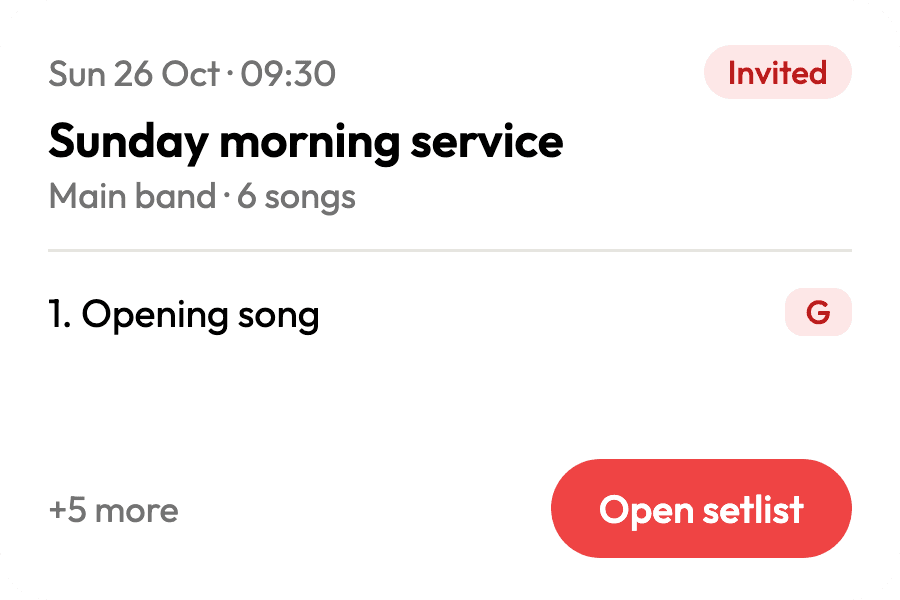
Next setlist
Your next setlist, its first songs and a way into LIVE. Shrinks down to a one-line shortcut.
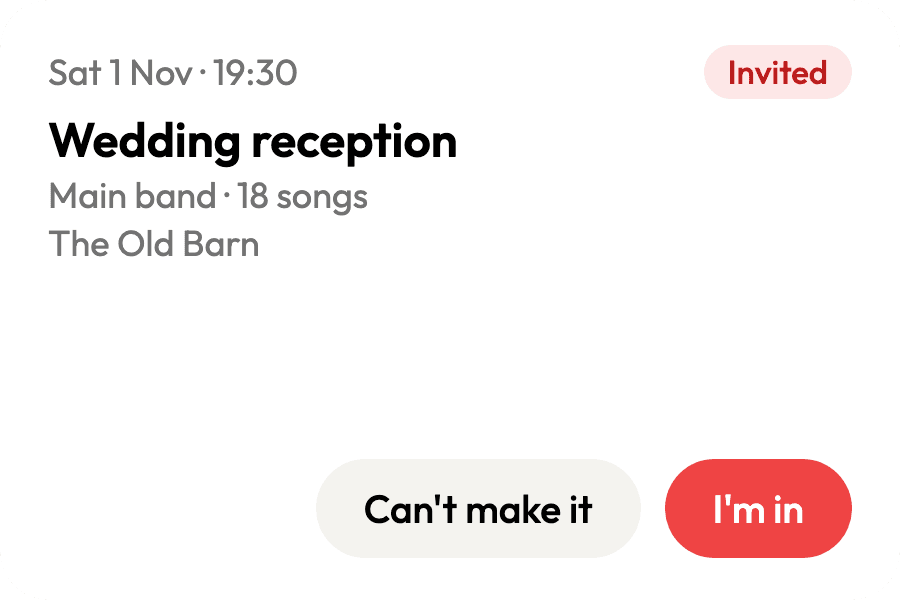
Invites
Answer your next setlist invite without opening the app: I'm in, or Can't make it.
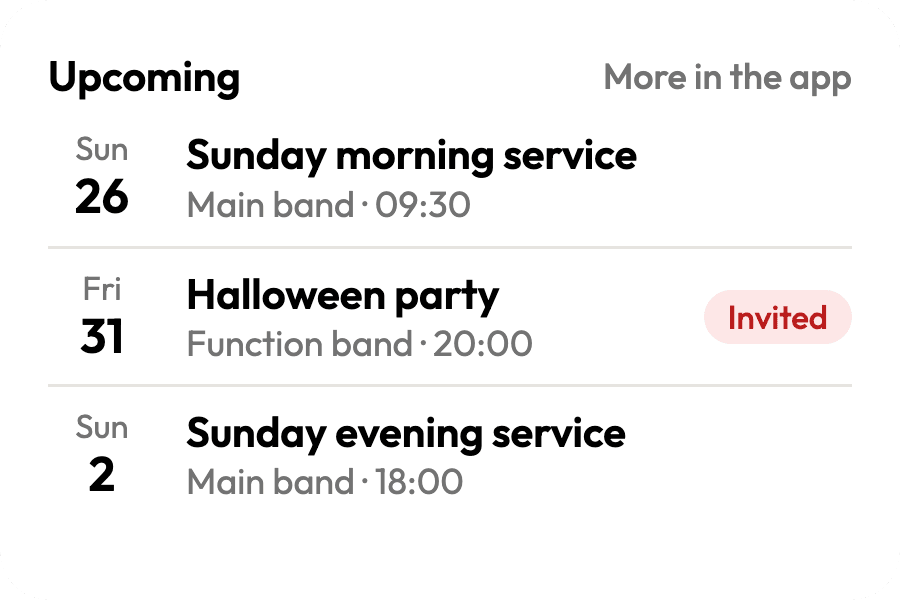
Upcoming setlists
Your next few setlists at a glance. Make it taller to see more.
Pick what each widget follows
The Next setlist and Upcoming setlists widgets each have their own settings, so you can keep one for your covers band and another for Sunday services. Choose a space, or all of them, and whether to show your setlists, only the gigs you've accepted, or everything in the space.
How to add a widget →Plan at the desk.
Play from the app.
Same account, same band. Log in with the email you use on the web and your spaces, songs and setlists are already there.
In the app
Setlists: build, reorder and answer invites
Songs, read as chords, numbers or lyrics
LIVE, with two pages side by side on a tablet
Drawing notes on charts
The practice player: stems, loops, key and tempo
Home screen widgets on Android
On the web
Writing and editing chord charts
Stem splitting and bulk upload
Setlist PDF export
Anything you draw on a chart lands in the same spot on the web, and the other way round. The app is free to download, and your band's plan applies on the phone just as it does on the web.
Take the band to the gig.
Free to download. Sign in with your Music Planner account.
New to Music Planner? Start free on the web →Music Planner
Band collaboration made effortless. Upload songs, plan setlists, run the stage.
© 2026 Music Planner
Made with ♥ for bands by Osukā Creative