Setlist maker
Plan the set.
Everyone knows
the plan.
Build the running order, see when every song starts, and know who's playing. One setlist the whole band shares, from the first rehearsal to the last song.
Free for your first band. No credit card.
More than a list
of songs.
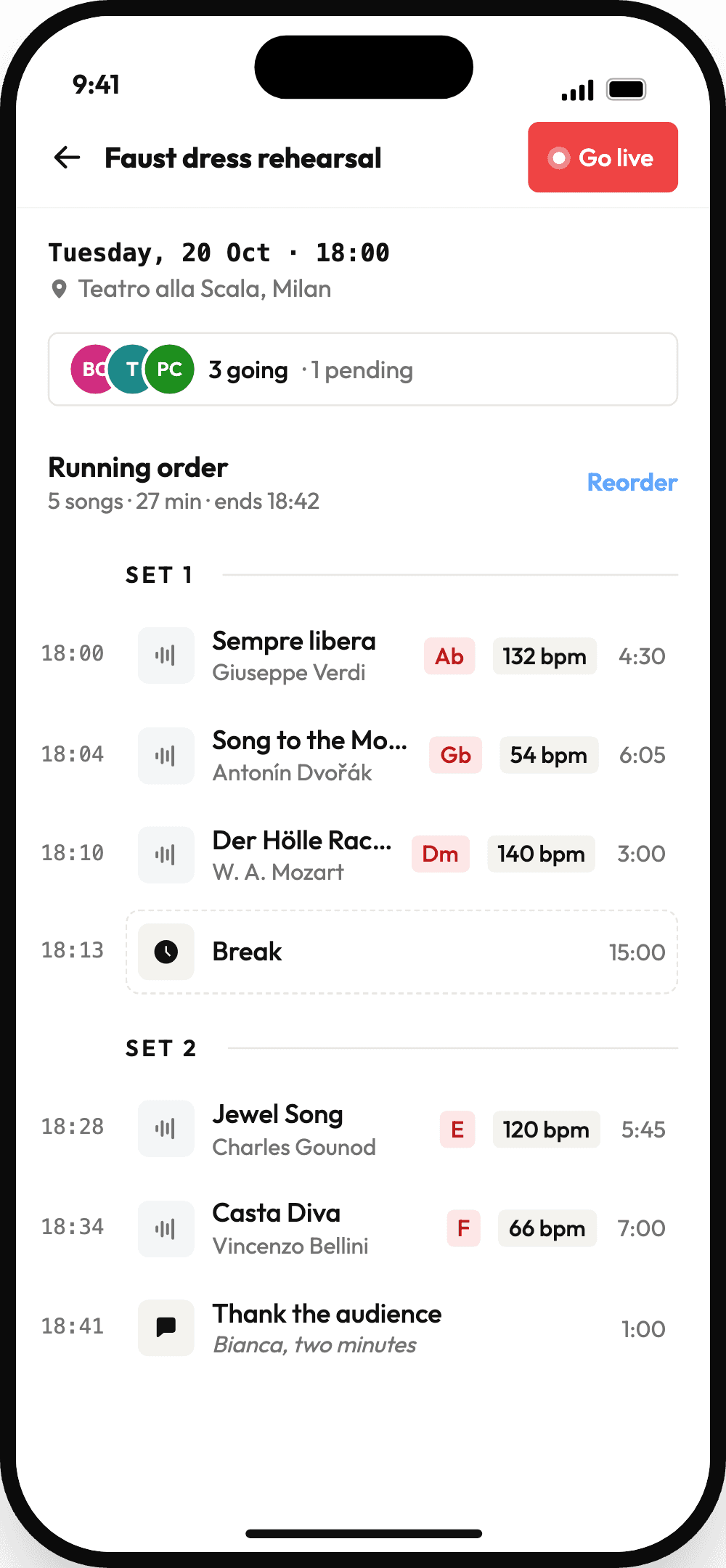
A setlist in Music Planner is the whole plan for the night: the songs, the breaks, who's playing and what key everything's in.
A running order with times
Songs, breaks, set headings and talking points, each with a start time worked out from the songs' lengths.
Drag to reorder
Move a song and every start time after it follows. On the phone, there's a reorder view with a grip on every row.
A key for this gig
Set a song's key and BPM for one setlist without touching the song. Charts, practice audio and LIVE all follow it.
Who's playing what
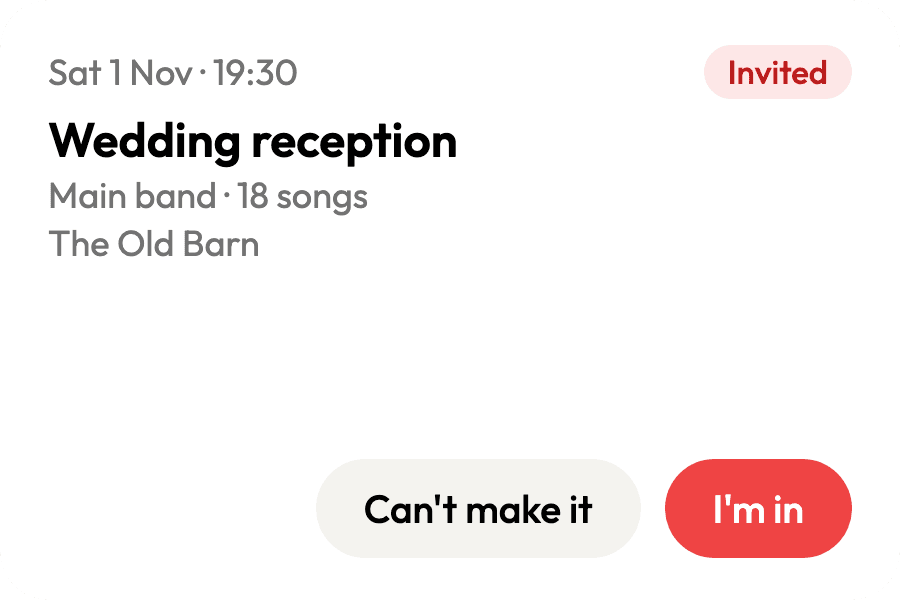
Invite players to positions like vocals or drums. They answer I'm in or Can't make it, and a decline shows up right away so you can find someone else.
Nudge the quiet ones
Invites arrive by email with one-tap answers. Send a reminder to anyone who hasn't replied, once a day at most.
Same time next week
Duplicate a setlist for next week's rehearsal or service. The plan and positions come along, and the date moves on a week.
Print it two ways
Export the song list with keys and BPM, or the full running order with start times, breaks and notes.
Practice the set
Play each song with its stems, solo your part, loop the hard bit, and hear it in the setlist's key.
In your calendar
Subscribe in Apple or Google Calendar and every gig shows up with your positions and the songs with their keys.
From first idea
to last song.
The same setlist carries you through the whole week, so nothing gets copied into a group chat along the way.
Build the order
Add songs, then drop in Set 1 and Set 2 headings and breaks with their own length. Start times fill themselves in.
Fill the lineup
Invite players to positions. Each gets an email with I'm in and Can't make it, and you see a decline the moment it happens.
Rehearse it
Everyone practices with the stems in the setlist's key, on their own time, from the same running order.
Play it
Open the setlist in LIVE and the charts go full screen on every device in the band, in order.
Do it again
Duplicate it for next week. The order, keys and positions come along, and nobody is invited until you choose.
One person plans.
Everyone's in the loop.
Members whose role allows managing setlists can change them. Everyone else sees the plan and answers for themselves.
The bandleader
Build and reorder the running order
Set a key and BPM for this gig only
Invite players to positions
Remind anyone who hasn't answered, once a day at most
Duplicate a setlist for next week's gig
The players
Answer an invite from the email, the setlist page or the app
See every setlist in the band space
Practice each song in the gig's key
Get every gig in Apple or Google Calendar
Answer from the Invites widget on Android
Setlists are on every plan, including free. LIVE is on Gig and Stage →
How gig scheduling works →Plan your next set tonight.
Free for your first band. No credit card.
Start for free →Add chord charts to every song →Music Planner
Band collaboration made effortless. Upload songs, plan setlists, run the stage.
© 2026 Music Planner
Made with ♥ for bands by Osukā Creative